Previous
Next
logo logo
logo logo
  • Discover Art
    • Trending
    • Most Recent
    • Most Faves
    • Most Views
    • Curated Galleries
  • Drawing Challenges
    • See All Challenges
  • Drawing Prompts
  • Artists
    • Most Popular
    • Most Recent
    • Available For Hire
    • Artist Spotlight
  • More
    • Marketplace
    • Art Discussions
    • Resources
    • News + Blog
Login
Most Views
Select an option
  • Most Recent
  • Most Faves
  • Most Views
David (DPO) Hello, my name is David (DPO),
and I'm a doodle addict.
Texas, USA

My webpage contains a collection of my drawings illustrated in Ibis Paint or Magma. Most of which is fanart inspired by video games or cartoons. There is NO ai art here, nor ai inspired works. In fact, I feel defeated by Ai and my motivation has dwindled. But everything you see here is roughly pencil sketched by hand first and inked by hand with cleaner lines on a new layer. I do use a stabilizer setting to prevent wobbly lines when inking on the iPads slippery glass but it isn’t perfect. The only time I use cheat tools is when making long perfectly straight lines or flawlessly perfect circles - the same as you would use a ruler or stencil. Lastly I get antsy coloring my art by staying inside the lines. So I rarely use color.

FOLLOW

I specialize in cartoons, digital art, doodling, drawing, illustration, mario maker 2, pen and ink, procrastinating, tetris.


David (DPO)'s Uploads

  • 29 Uploads
  • 28 Faves
  • 12 Followers
Enlarge
#14 Inktober 2023 Prompt number 26 Remove

#14 Inktober 2023 Prompt number 26 "Remove" - I drew this picture during the #inktober event for an individual's artspace on magma.com (the word prompt to draw was "remove" for day 26). I came up with the idea to draw an RPG warrior battling a giant mosquito during his adventure. He is using OFF brand mosquito repellent spray to remove the enemy from this path (but he took damage and later is removing a Band-Aid from his arm). Drawn directly on magma.com live using an iPad pro (no pressure sensitivity and no Ai).

  • 61
  • 7
  • 0
Enlarge
#01 Spiderman

#01 Spiderman - Drawn on an ipad pro online at magma.com as part of the clubhouse theme.

  • 59
  • 7
  • 3
Enlarge
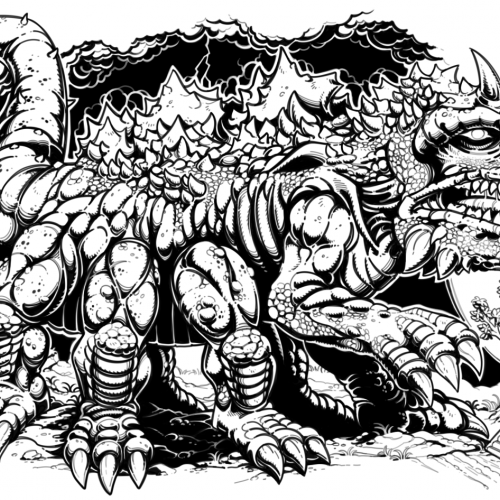
#08 Mythological Creature

#08 Mythological Creature - I tried getting some ideas on duckduckgo images for a theme on magma.com that was titled Mythological Creatures. Drawn online/live at magma.com using an iPad Pro (no pressure sensitivity and no Ai).

  • 57
  • 9
  • 0
Enlarge
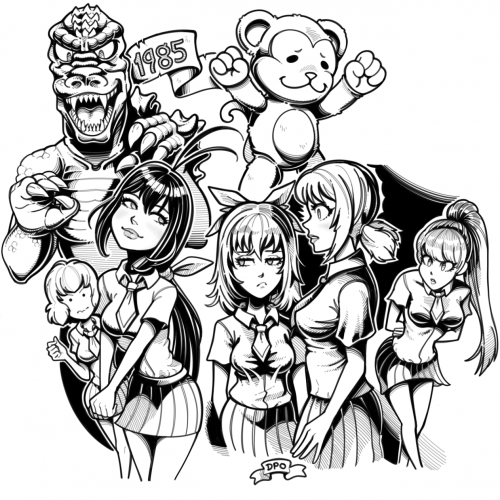
#07 Keijo + Godzilla 1985

#07 Keijo in my style + Godzilla 1985 - I drew this online/live at Magma.com using an ipad pro (no Ai and no pressure sensitivity).

  • 56
  • 7
  • 0
Enlarge
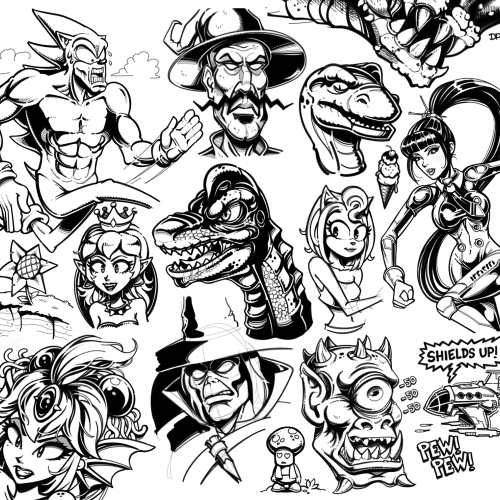
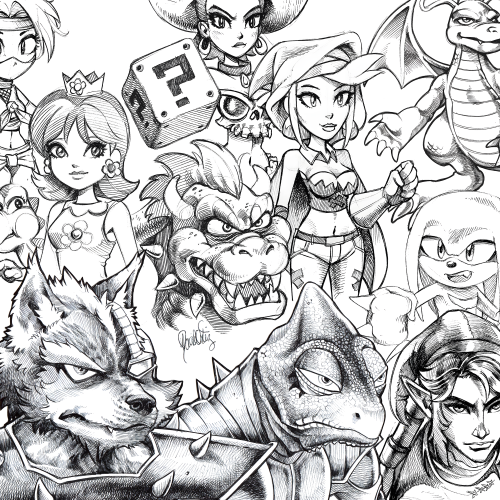
#26 Collection of unfinished doodles

#26 Collection of unfinished doodles - The Brachiosaurus (from Joe & Mac) in the center was drawn tonight. The rest were drawn over the past few years and stored away in a folder because they are all unfinished. Everything was drawn digitally on magma.com with an iPad Pro. Other characters included are: The girl from stellar blade on right side (whatever her name is), Amy Rose, Chakan the Forever Man (bottom center), Toad & Bowsette, the Giga Mermaid (from Shantae), and Sonic the hedgehog - looking ridiculous because he is fun to draw as Sanic. Everything else is from imagination.

  • 56
  • 8
  • 5
Enlarge
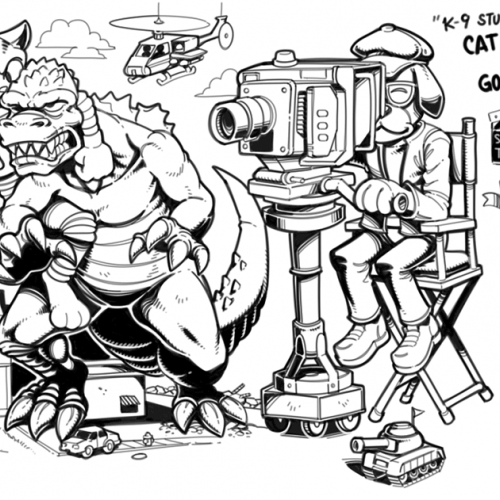
#11 Canine Cameraman

#11 Canine Cameraman - The Magma clubhouse theme was Canine Camerman. I attended late after the live stream was over, but this was my take on the theme. I drew this at Magma.com with an iPad Pro. (no Ai, and no pressure sensitivity).

  • 55
  • 5
  • 0
Enlarge
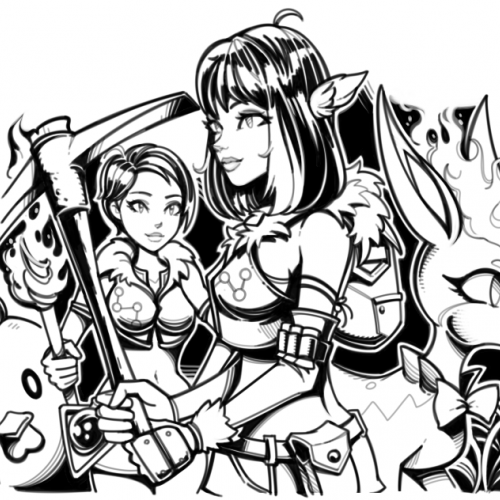
#06 Palworld Fanart

#06 Palworld Fanart - I drew this online/live at Magma.com using an iPad pro (no pressure sensitivity and no Ai). I really hope they keep updating this game because it was a lot of fun playing with friends.

  • 54
  • 5
  • 0
Enlarge
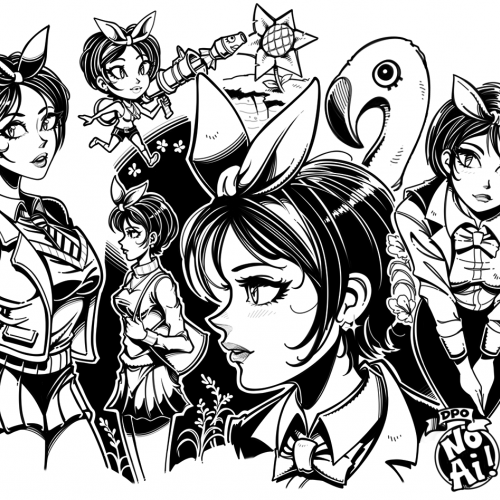
#28 A collection of  ballpoint pen sketches scanned

#28 - A collection of ballpoint pen sketches drawn on printer paper & scanned. This is what my lines look like when I'm not using a stabilizer in digital software to get the nicest clean lines. I tried to separate my scanned lines from the various shades of off-white that the scanner picked up. I adjusted the brightness and contrast levels in photoshop but I'm not very knowledgeable on how to achieve the best results.

  • 49
  • 4
  • 2
« Previous
 

Doodle Addicts

Navigate
  • Discover Art
  • Drawing Challenges
  • Weekly Drawing Prompts
  • Artist Directory
  • Art Marketplace
  • Resources
Other
  • News + Blog
  • About Us
  • Contact Us
Newsletter
© 2026 Doodle Addicts™ — All Rights Reserved Terms & Conditions / Privacy Policy / Community Guidelines
Add Doodle Addicts to your home screen to not miss an update!
Add to Home Screen